
When you update the status of a user's account it affects their access to both AMS and CMS.
-
Right-click the user in the search results, then click Change Status.
-
On the Change Status dialog, in the New Status field, select one of the following:
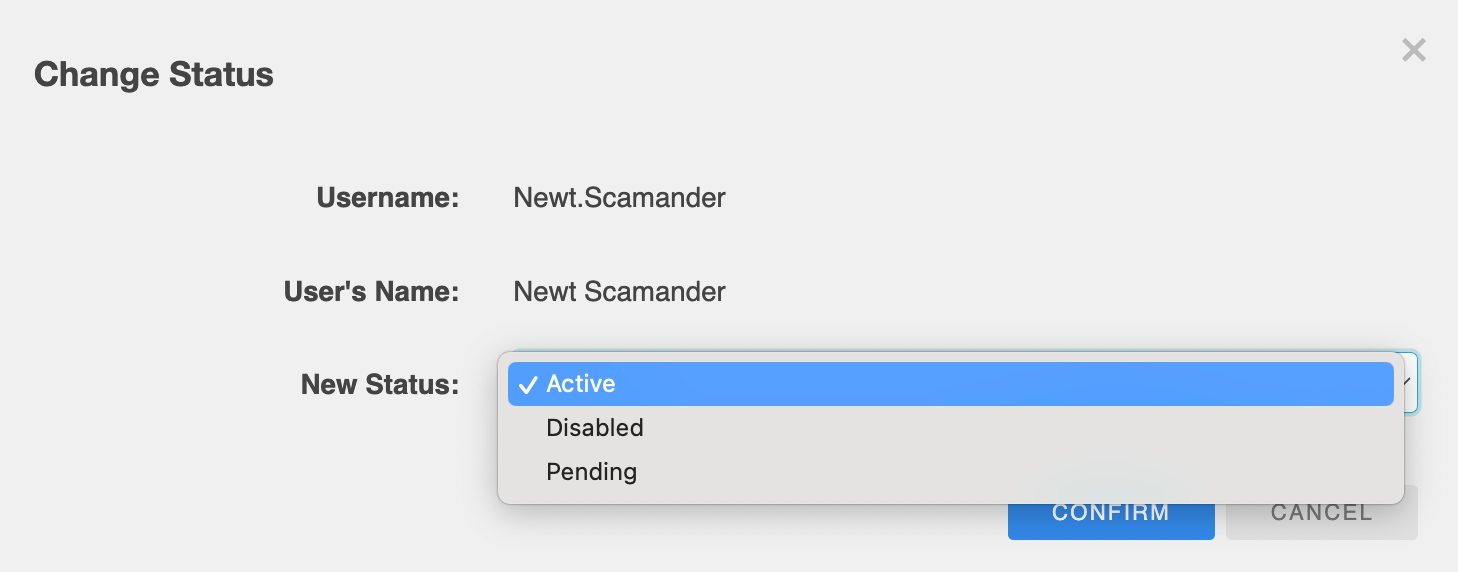
|
If you want to... |
Select... |
|---|---|
|
Give the user immediate access to their account |
Active |
|
Prevent a user from logging into their account or make a user account inactive |
Disabled |
|
Create a user account in advance, but give the user access after a specific date |
Pending |
-
Click CONFIRM.
Also see