
Before you begin
You must first add an access profile to enable one or more menus to be used within that profile.
Adding a menu to an access profile
-
On the AMS menu, click Terminals > Access Profiles.
-
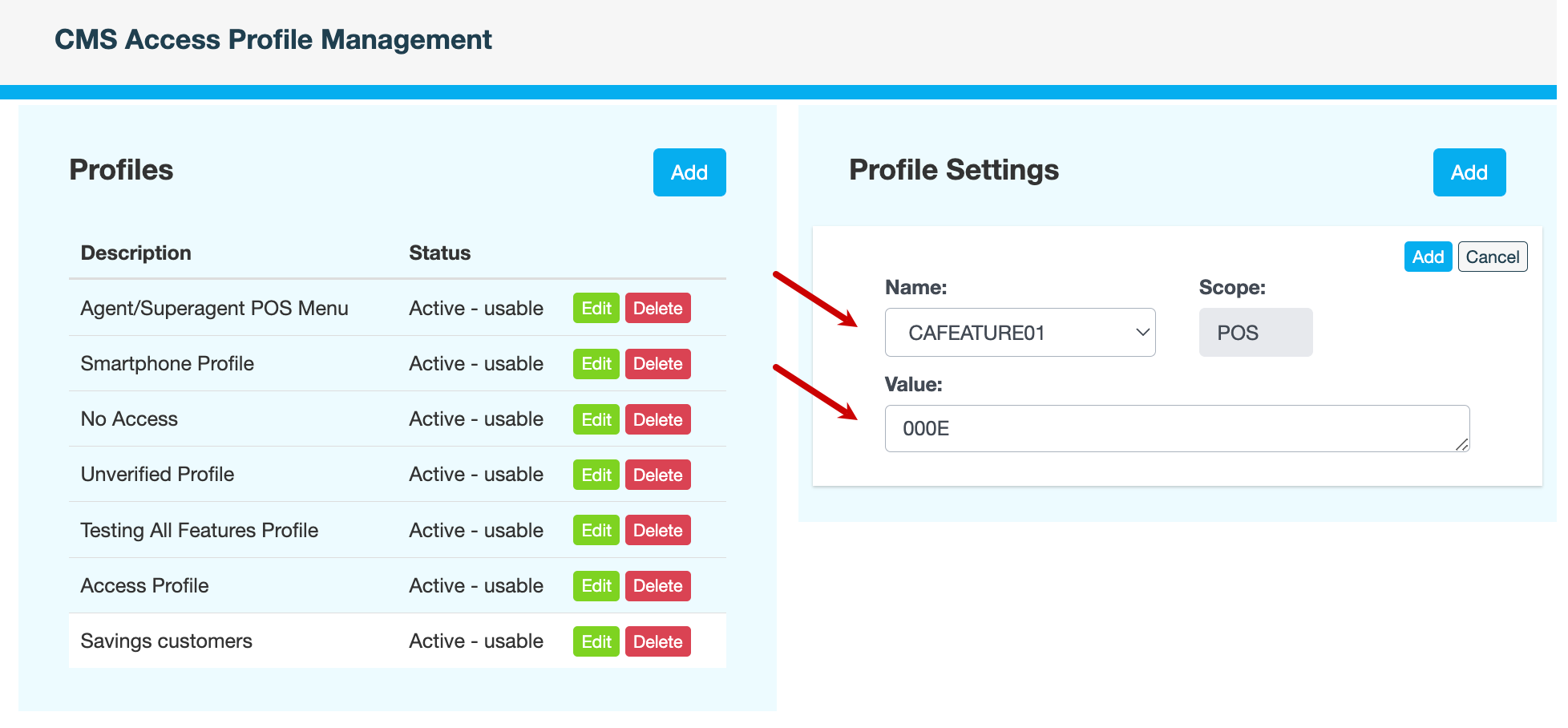
Under Profiles, select the row of the profile that you want to add a menu to, then click Add in Profile Settings.
-
In the Name field, select a menu. For example, CAFEATURE01.
Only menus that haven’t already been added to the access profile are displayed. To figure out which menus to add, see Menus by access profile.
-
Enter the hexadecimal Value of the menu. Use the Excel sheet, provided by Youtap Support, to calculate this value.
-
Click Add.
-
Enter a reason for adding the menu, then click CONFIRM.
Also see