
-
On the AMS menu, click Financial > Account Management > Tax Types.
-
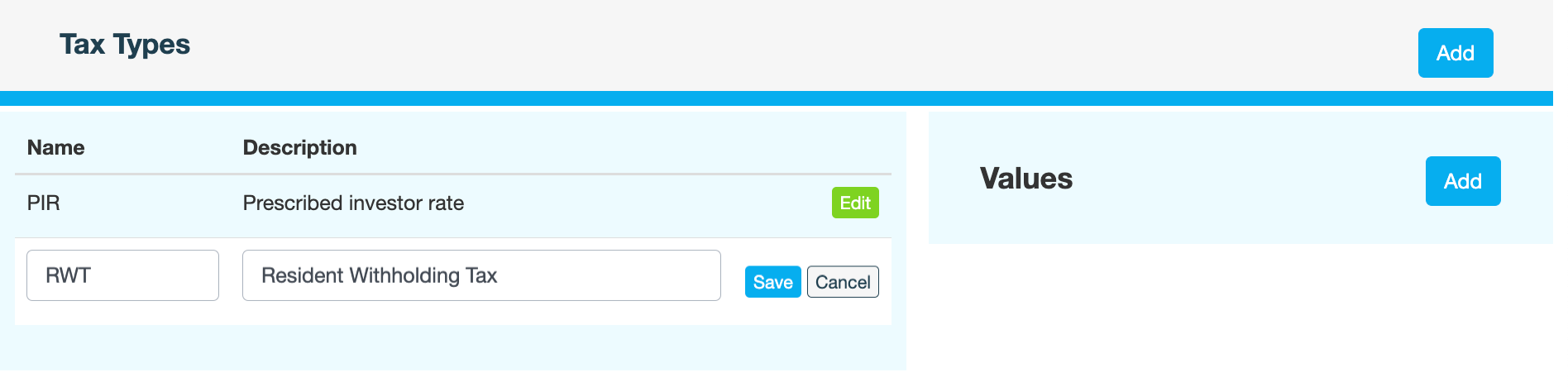
On the Tax Types page, click Add.
-
Enter the following information:
|
Field |
Description |
|---|---|
|
Name |
Name of the tax |
|
Description |
A brief description of the tax |
-
Click Save.
-
Enter a reason for adding the new tax type, then click CONFIRM.
-
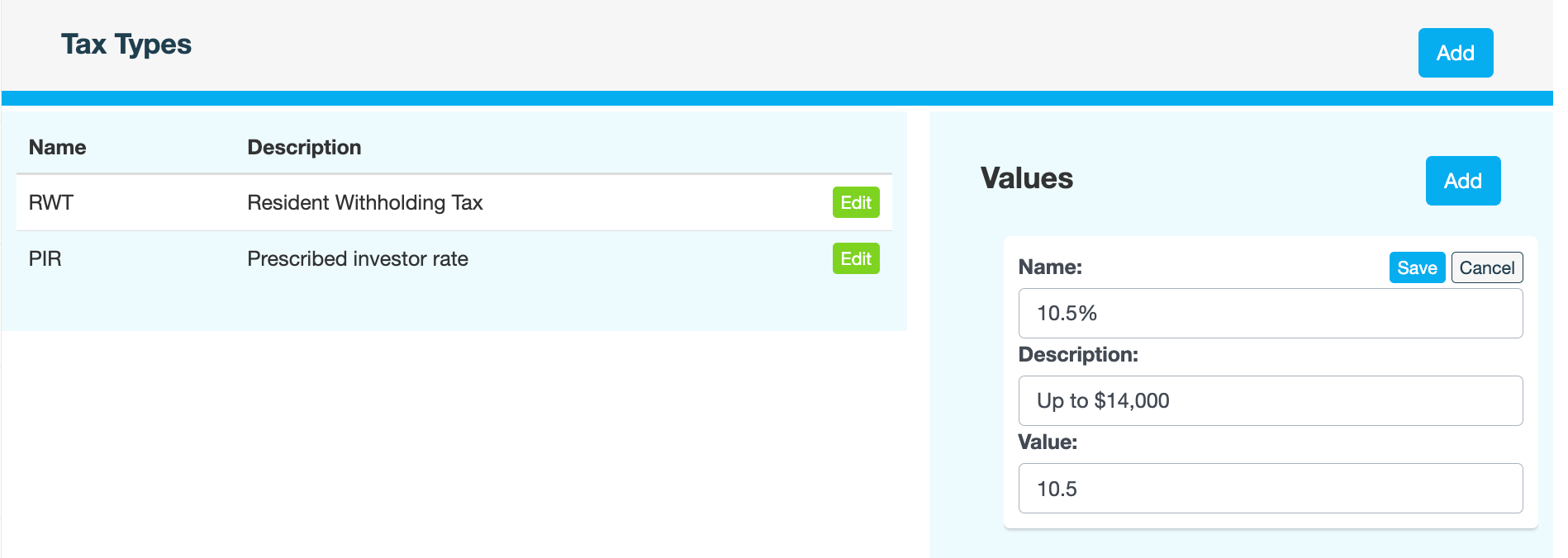
Next click Add in the Values pane.
-
Enter the following information:
|
Field |
Description |
|---|---|
|
Name |
Name of the tax tier. Note that the name is displayed in the mobile app on the Tax Settings screen (RWT field). 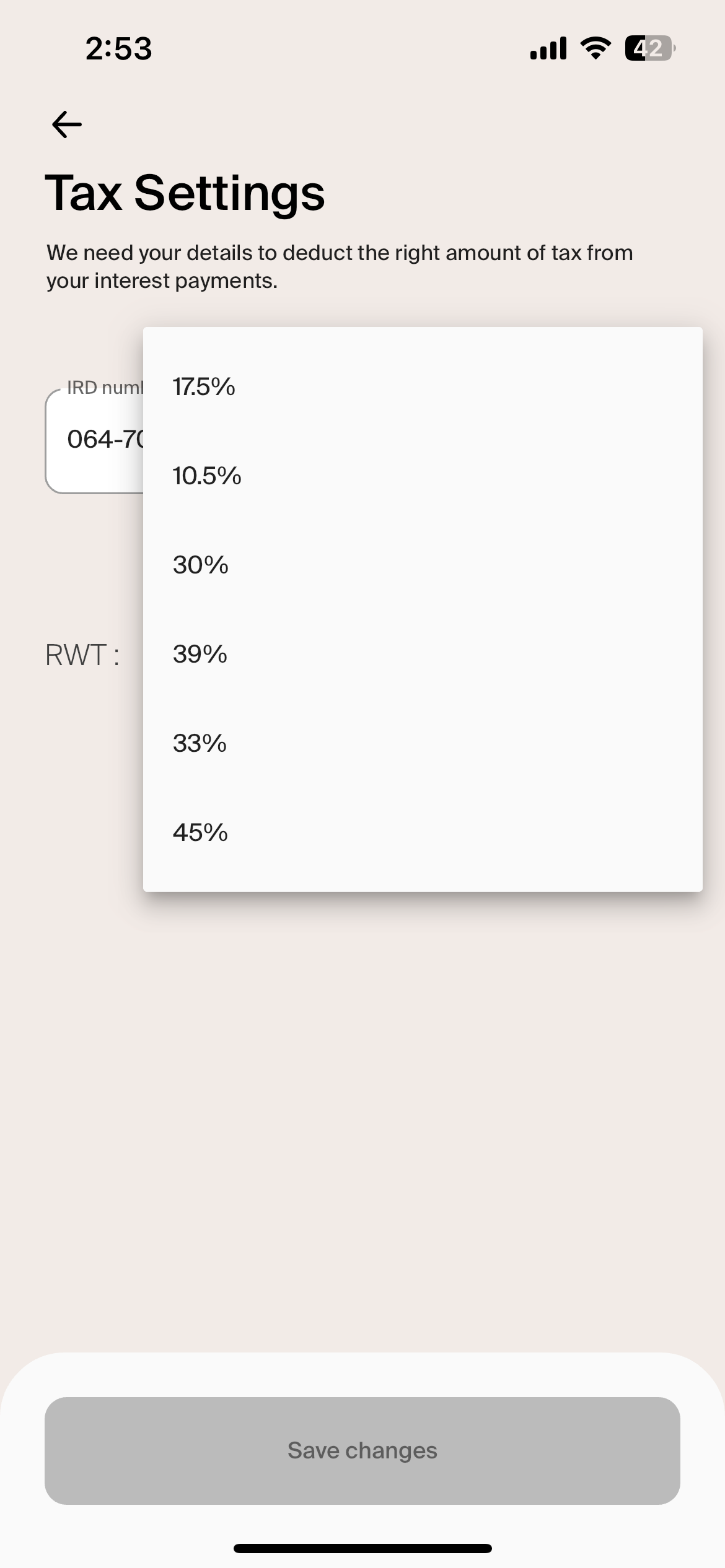
|
|
Description |
Brief description of the tier |
|
Value |
Tax percentage entered as a value, without the percentage sign. For example, 10.5 or 33. |
-
Click Save.
-
Enter a reason for adding the tax tier, then click CONFIRM.
-
To add another tier, repeat steps 6-9.