
You can create user-friendly labels for database entities such as billable events. This ensures that they are accurately translated into the customer's preferred language in the mobile app.
-
On the AMS menu, click Languages and Translation > Translations > Tables.
-
On the Table Contents Translations page, in the Table field, select BILLABLEEVENTS.
-
Select a Language from the list, such as English or Thai.
-
Scroll down to the bottom of the page and click Edit.
-
Find the billable event whose labels you want to update.
-
Enter a short Description and Display Name for the event in the selected language.
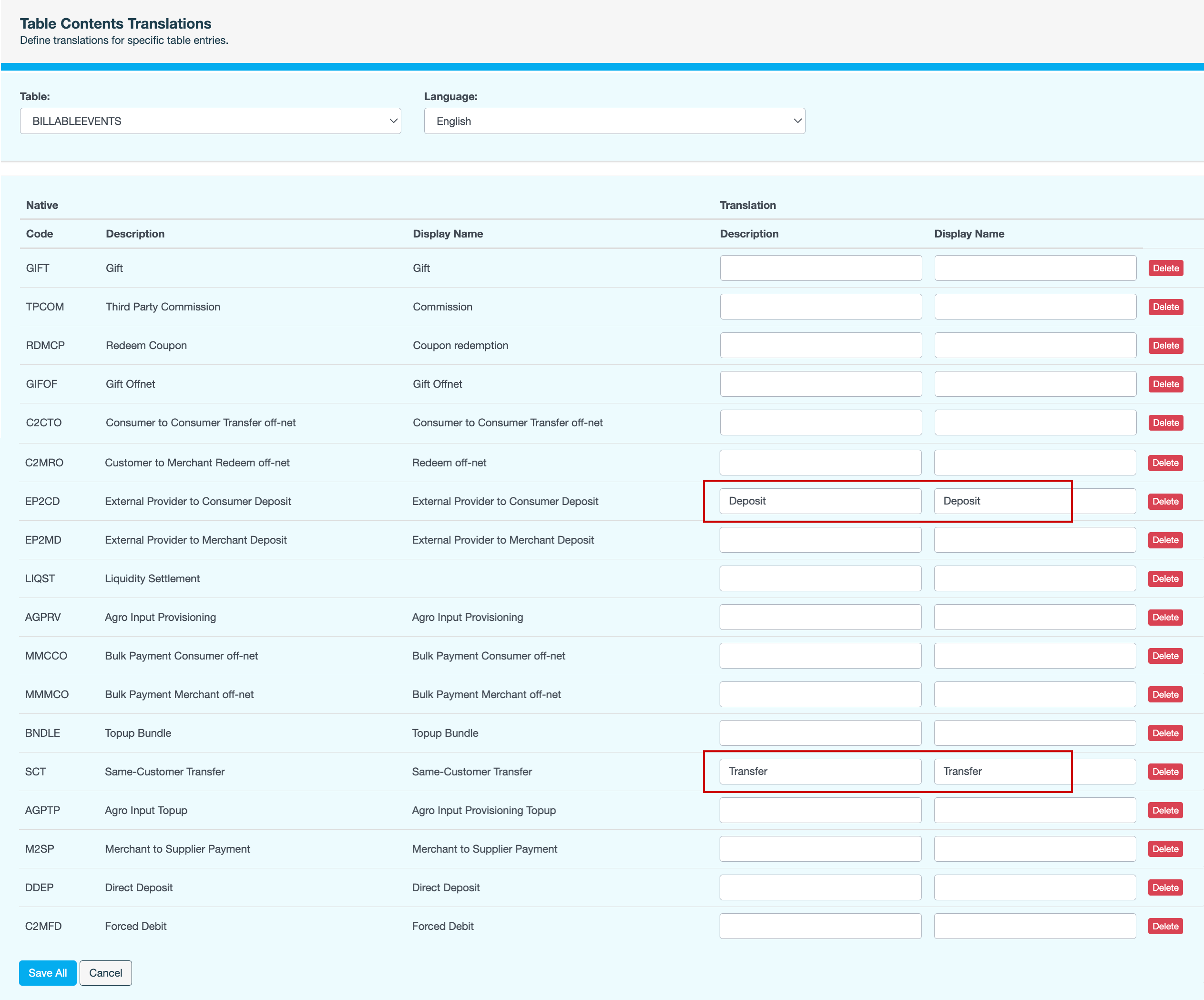
To delete the labels for an event, click Delete next to the event. Deleting a label will revert it to the default label in the mobile app.
-
Click Save All.
-
Enter a reason for updating the labels, then click CONFIRM. The updated labels will now be visible to customers using the mobile app in the selected language.