
Customers can request a temporary suspension on all account activities (or do it themselves through the mobile app) if they:
-
suspect unauthorised or unusual activity in their accounts.
-
believe that malware or a hacking attempt has compromised their personal information.
-
lose their debit cards or their cards are stolen.
-
are notified of, or suspect, a security breach that may affect their accounts.
-
receive suspicious communications as a result of a phishing attempt or scam.
Placing a temporary block gives both you and your customers time to resolve the issue and secure their accounts. Once an account is suspended, no further transactions or activities can occur.
Suspending an account
-
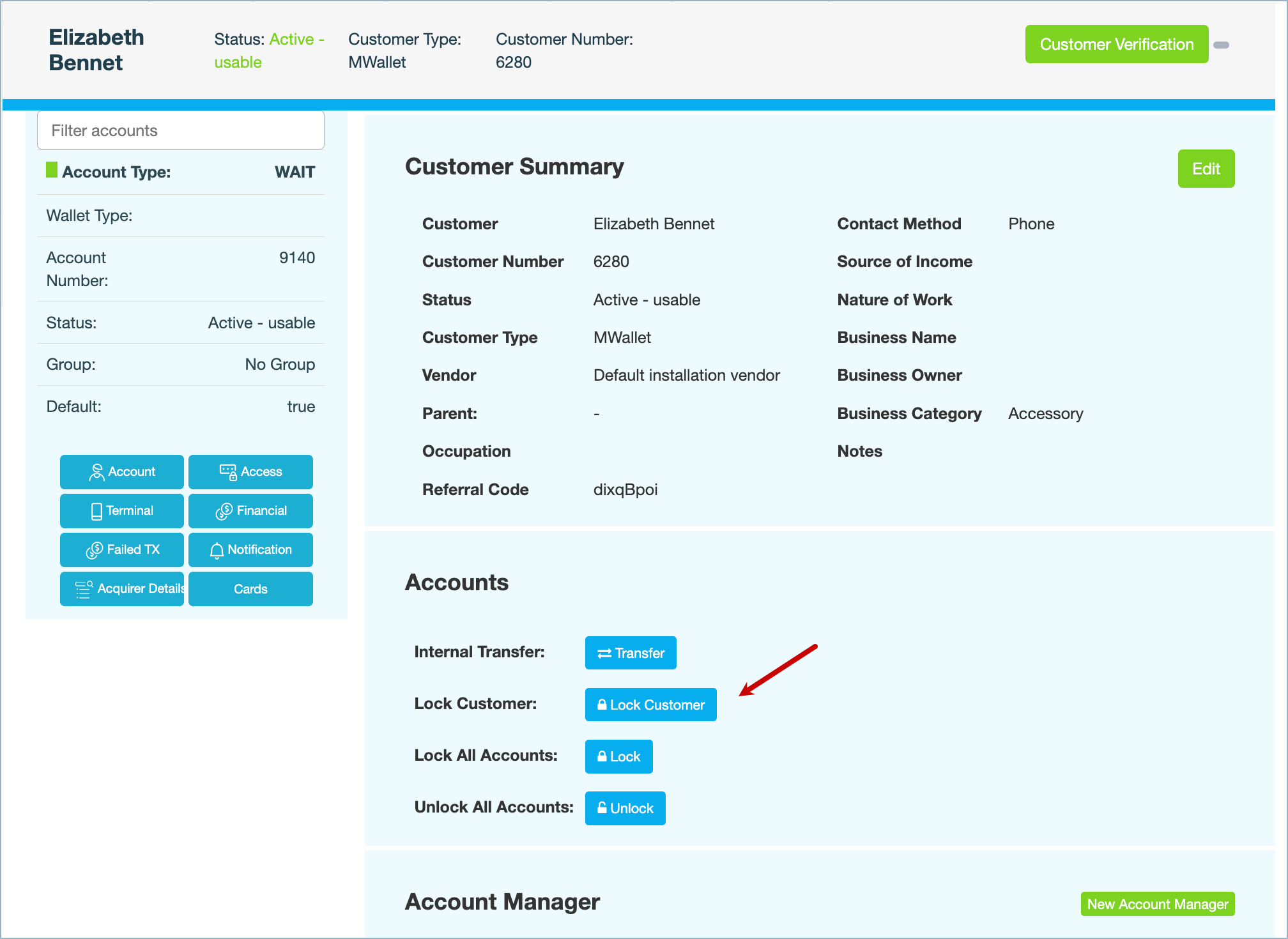
Under Accounts, click Lock Customer.
-
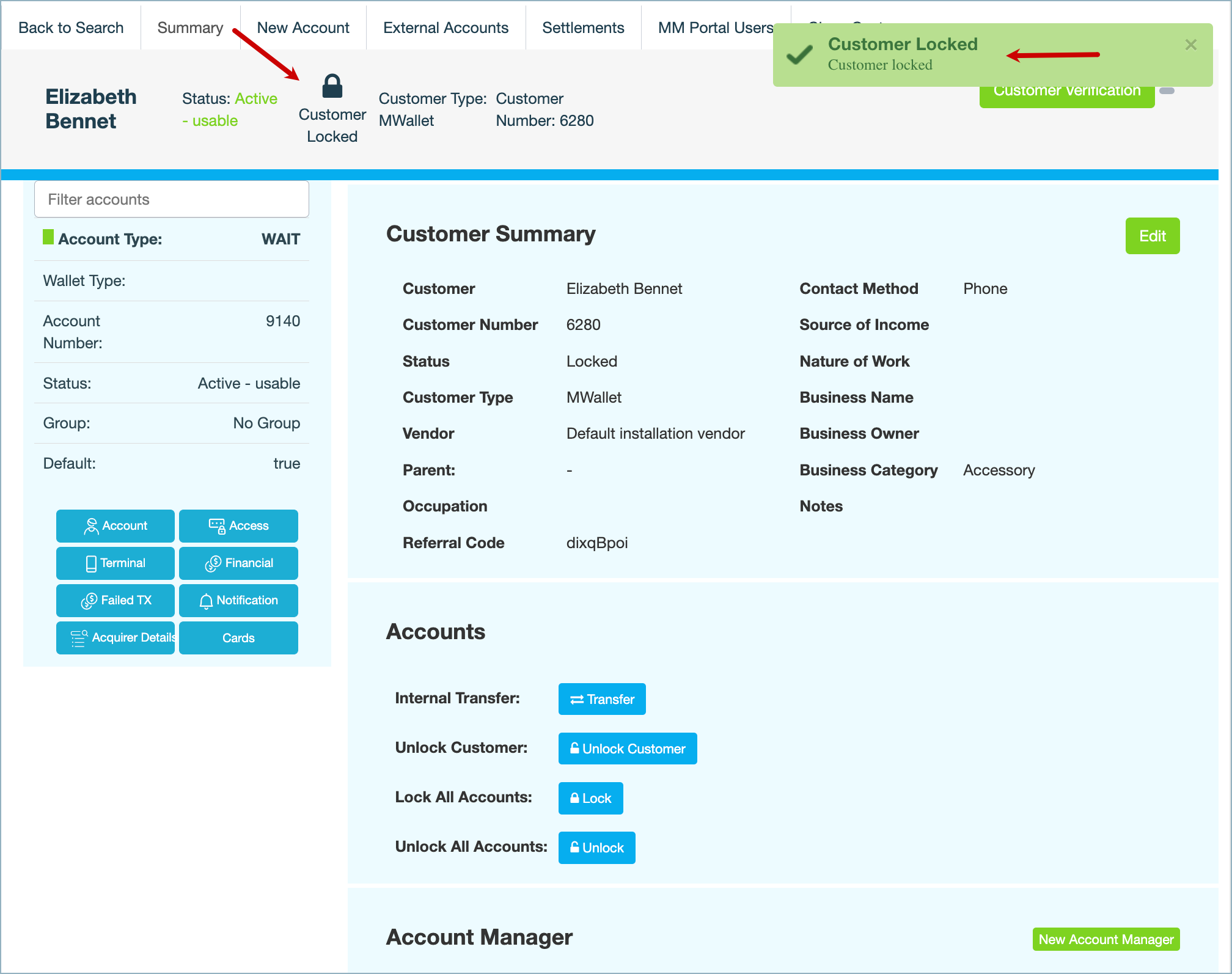
Enter a reason for suspending the customer's account, then click CONFIRM. A Customer locked message is displayed at the top right and in the page banner.
What's next
-
Depending on their notification preferences, customers receive an email, SMS and push notification on the mobile app confirming that their account has been suspended.
-
Any scheduled payments remain in place, but are not processed
-
Any cards associated with the customers' accounts are frozen.
-
Additionally, the following activities are disabled on the mobile app:
-
QR payments
-
Top-ups and withdrawals from the wallet
-
Bill and bank payments
-
Requesting and transferring funds
-
Opening and closing accounts
-
Deleting customer profiles
-
Requesting cards
-
Also see