
You cannot restore a customer account once it has been closed. The account status changes to Deleted - logically, but its details and history are preserved in the database.
Please note that once you close a customer account it cannot be reversed.
-
Find the customer whose account you want to close.
-
In the blue pane, locate the account, then click Account.
You cannot close the default account, which is always the first account in the list.
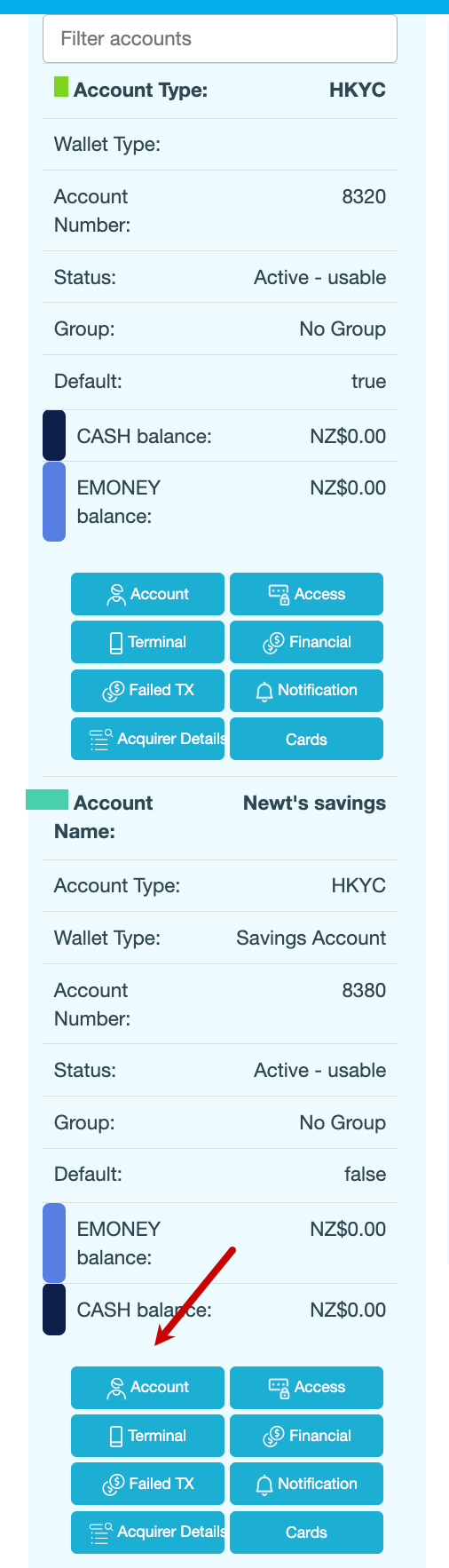
-
Under Account Summary, click Close.
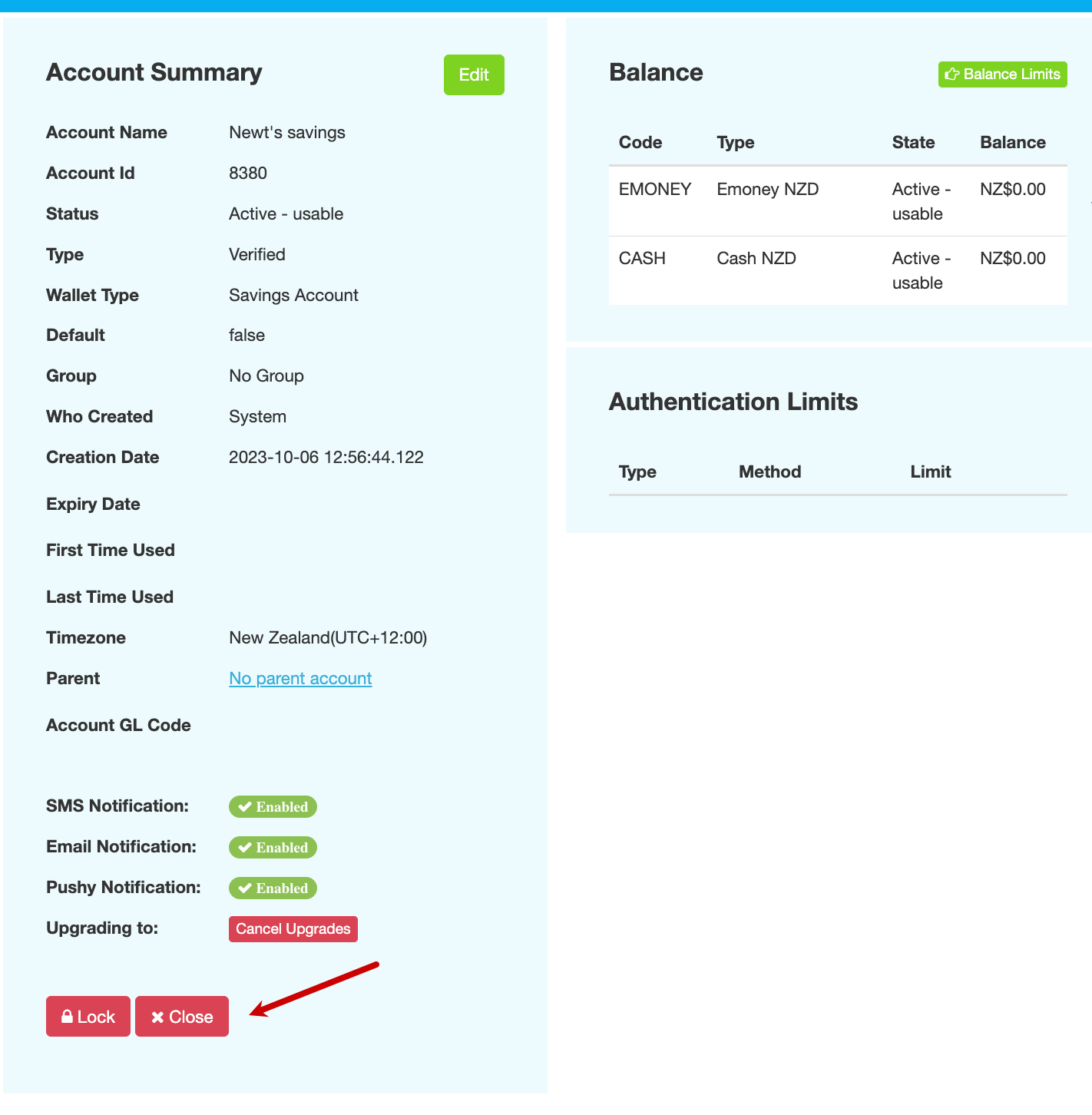
-
Enter the reason for closing the account, then click CONFIRM. The following message is displayed:
Account was archived successfully
Also see