
This article uses an example to illustrate how to edit a product page on the GrowPay website.
-
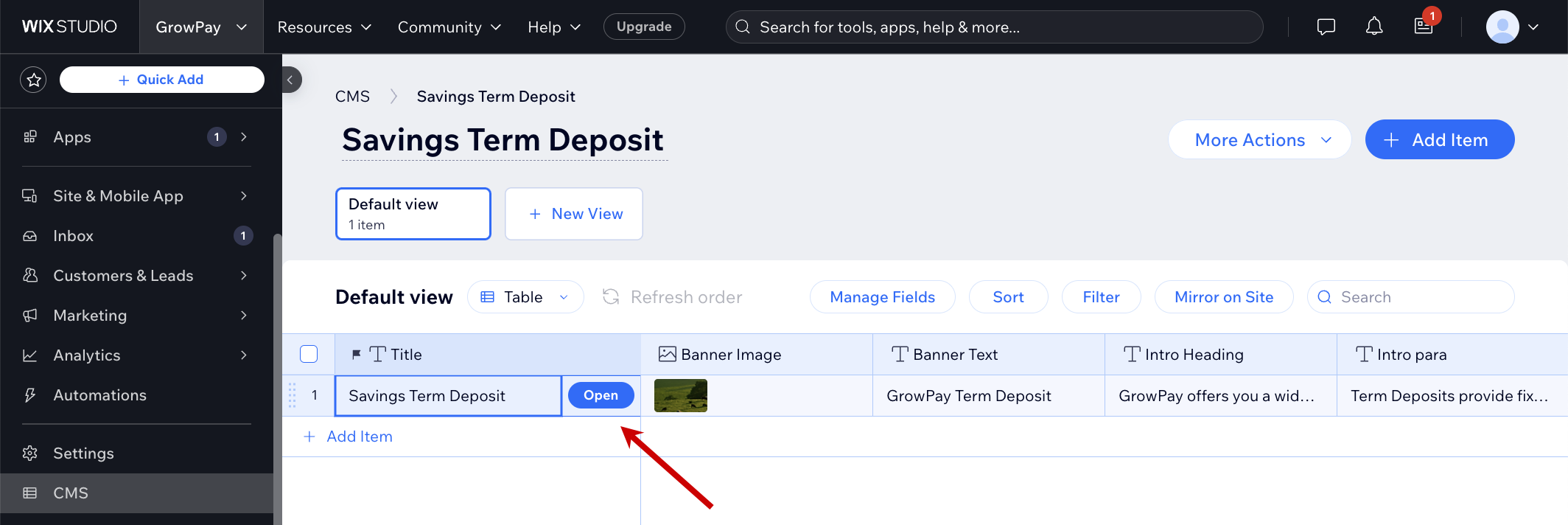
On the WIXSTUDIO menu, click CMS.
-
Under Your Collections, click a collection. For example, Savings Term Deposit.
-
In the table, click the product page you want to edit, then click Open.
-
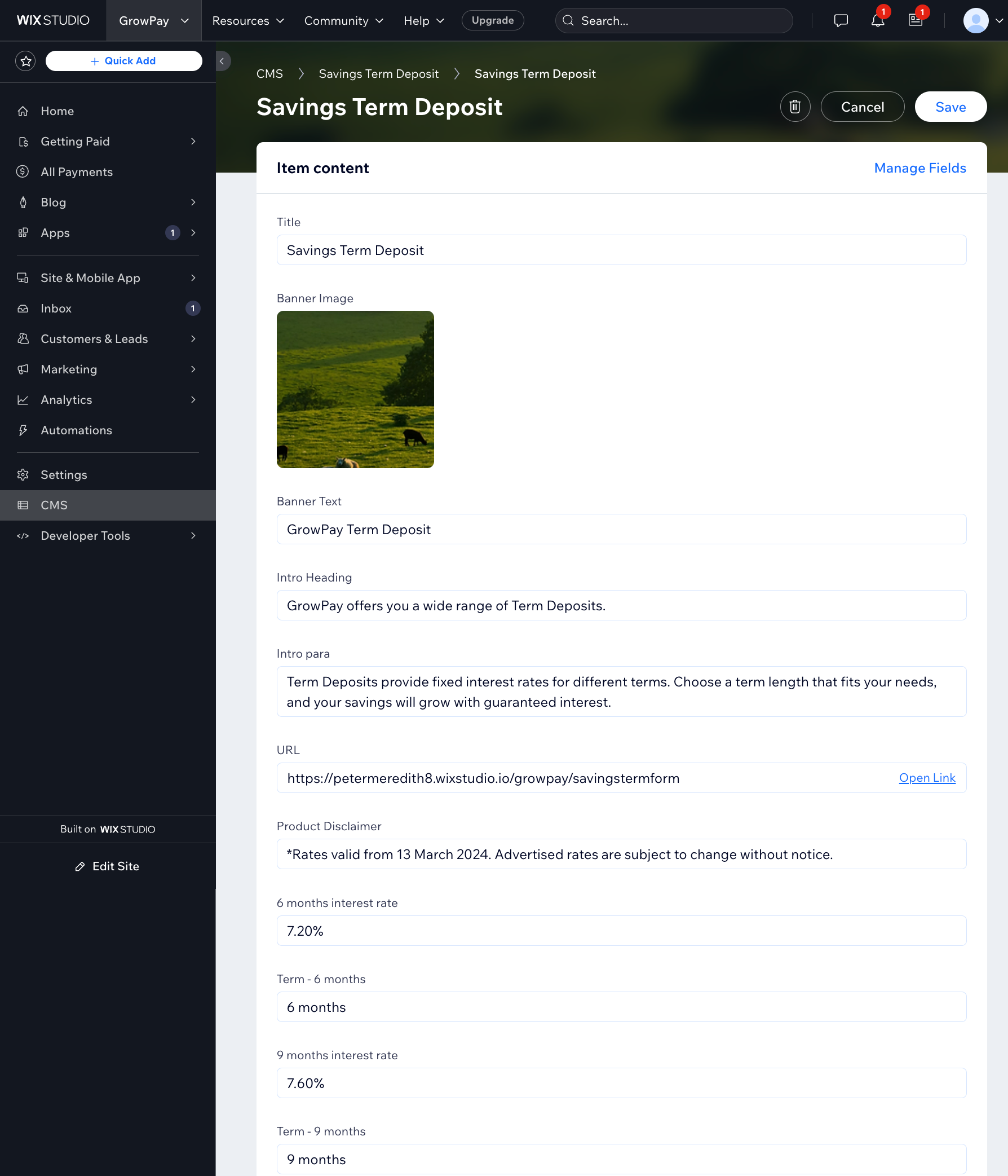
Update the contents of the web page, as required.
-
Click Save to apply your changes.